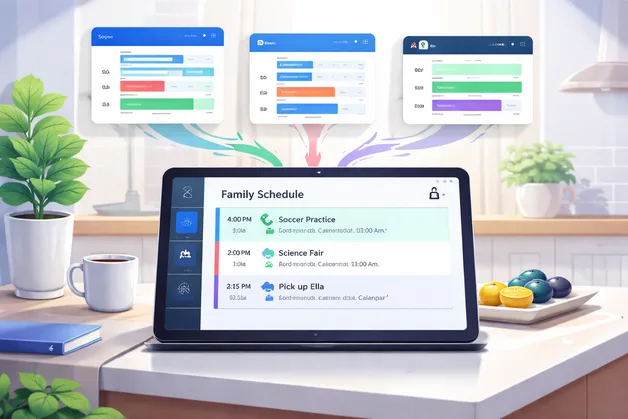

Shared calendar without edit access
When schedule visibility matters more than shared control, the problem is not creating one more calendar. It is giving the right people a reliable view of what is coming up without exposing editing access to the source calendars.
- You need people to see upcoming events without changing the original calendar.
- Schedules live in multiple calendars, but everyone still needs one reliable view.
- Questions about timing, location, and pickup details keep getting repeated.

What this problem usually looks like
This usually shows up as day-to-day coordination friction, not a dramatic calendar failure.
People need visibility, not control
A partner, grandparent, caregiver, or co-parent needs to know what is happening, but should not be editing the source calendar.
No one has the full picture
Work, school, activities, appointments, and family logistics live in different calendars, so the household view is always fragmented.
The same context gets repeated
People keep asking when something starts, where it is, who is taking whom, and whether details changed.
Account sharing feels wrong
Logging into someone else’s calendar account or handing out broad access feels messy, fragile, or unsafe.
Why common approaches break down
Most workarounds fail because they solve visibility by increasing control, duplication, or manual coordination.
Shared logins are brittle
Using one account across multiple people creates privacy problems, security problems, and confusion about who changed what.
Shared editing creates risk
Once multiple people can edit a calendar, accidental changes become part of the workflow instead of an exception.
Screenshots go stale fast
A screenshot or copied schedule works for a moment, then misses changes, locations, or the details people need most.
Texts and chats are incomplete
Group texts capture reminders and decisions, but they are a poor substitute for a shared, current schedule view.
What a better setup should do
Before thinking about products, it helps to define what “solved” actually looks like.
Create one shared view across the calendars that matter
People should not have to hunt through different tools to understand the day.
Preserve read-only visibility where needed
The setup should help people see, not accidentally control, the source calendar.
Include useful event context
Addresses, contacts, and other practical details should be easy to find when needed.
Reduce repeated clarification
A good setup should cut down on “what time was that again?” and similar questions.
Lower household coordination overhead
It should simplify daily visibility without forcing everyone into one editing workflow.
How ComingUp Today helps with this
The goal is not to replace every calendar. It is to make visibility easier in the cases where shared editing is the wrong model.
Unified visibility across calendars
You can see what is coming up across people and calendars in one place instead of piecing together a schedule from multiple sources.
Read-only coordination layer
People get the visibility they need without editing the original calendars that remain the source of truth.
Event-linked context
Useful details like addresses, contacts, and planning context are easier to see when someone is trying to act on the schedule.
Shared household visibility
A shared screen or common view becomes more useful when it reflects what matters without exposing everyone to full calendar access.
Real-world scenarios
These are the kinds of coordination situations where this pattern tends to help most.
Two-household parenting coordination
Each household keeps its own systems, but everyone still needs a reliable view of school events, practices, pickups, and appointments.
Grandparents or caregivers helping with logistics
Support people can see what matters for drop-off, pickup, and timing without being added as calendar editors.
Busy family command-center visibility
A kitchen or shared display can show what is coming up for the household without requiring everyone to adopt one shared calendar workflow.
Who this is a good fit for
Good fit
Families with layered schedules across multiple calendars
Households that need visibility without shared editing
Caregivers or helpers who need schedule awareness but not account access
Not ideal fit
Teams that need workflow automation or meeting-booking logic
People looking for a full project-management system
Groups that want heavy collaborative editing of one shared source calendar
Frequently asked questions
Related paths
- How it works — Understand the shared visibility model behind ComingUp Today.
- ComingUp Today vs Google Calendar — See how a read-only coordination layer differs from Google Calendar.
- Complex Family Coordination — See the broader family coordination hub and choose the best-fit spoke.
- Contacts tied to events — Learn how event context can help reduce coordination mistakes.
Get shared visibility without giving up control
If the real problem is seeing what is coming up without opening up edit access, start with a setup designed for visibility first.